🎬 The star of Twomi: live shows featuring AI avatars
The most exciting part of Twomi is our live shows, where AI avatars perform in real time.
And you’re not just watching. Send comments and cheers, or jump into a one-on-one chat right there on the spot. It feels like watching a TV show—and before you know it, you’re naturally interacting with AI.
Perfect for
- Anyone who’s ever thought “I never know what to say to an AI” → Just start by watching the show, no pressure
- Anyone who wants to have fun alongside their favorite avatar → Join in with cheers and comments
✨ And with this update, your AI avatar—the performer—becomes even more you
The theme of this update is “Make your avatar more like you.” Four new features bring that to life.
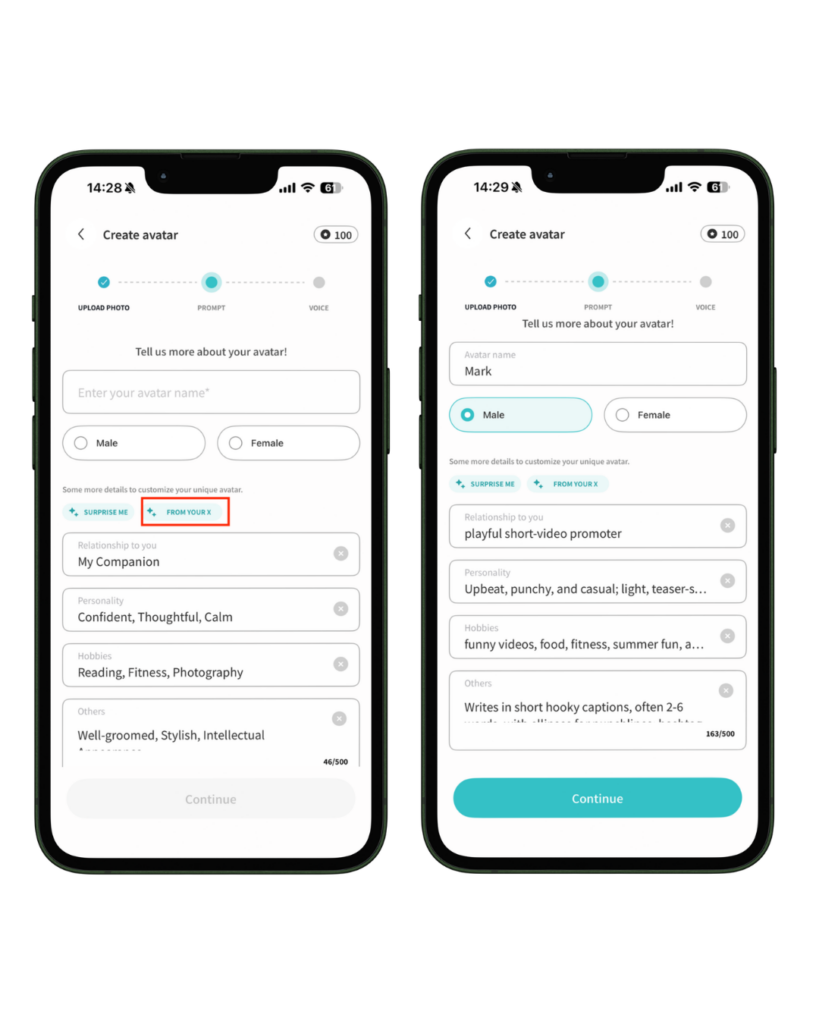
① Auto-create your profile from social media ―― for anyone who finds setup a hassle
Who it’s for:
Anyone who gets stuck figuring out what to write for their avatar’s personality and interests
How it helps:
Just connect your social account, and AI reads your posts to automatically draft your avatar’s personality, interests, and relationships. No more starting from scratch. You can freely edit anything, anytime.
Currently supports X account integration only.
② Your social posts become your avatar’s “memory”
The old problem:
Since your avatar didn’t know the latest about your daily life and interests, conversations tended to stay generic at first.
How it’s better now:
Connect your social account, and your avatar remembers your recent posts, sparking conversations that feel truly personal.
No need to explain “I was out yesterday…”—your avatar already gets it.
It’s like talking to someone who genuinely knows you.
Your memory is used only in your own chats and is never shared with other users. Your 100 most recent posts are kept, and they’re deleted when you disconnect.
③ Comment on home videos
The old problem:
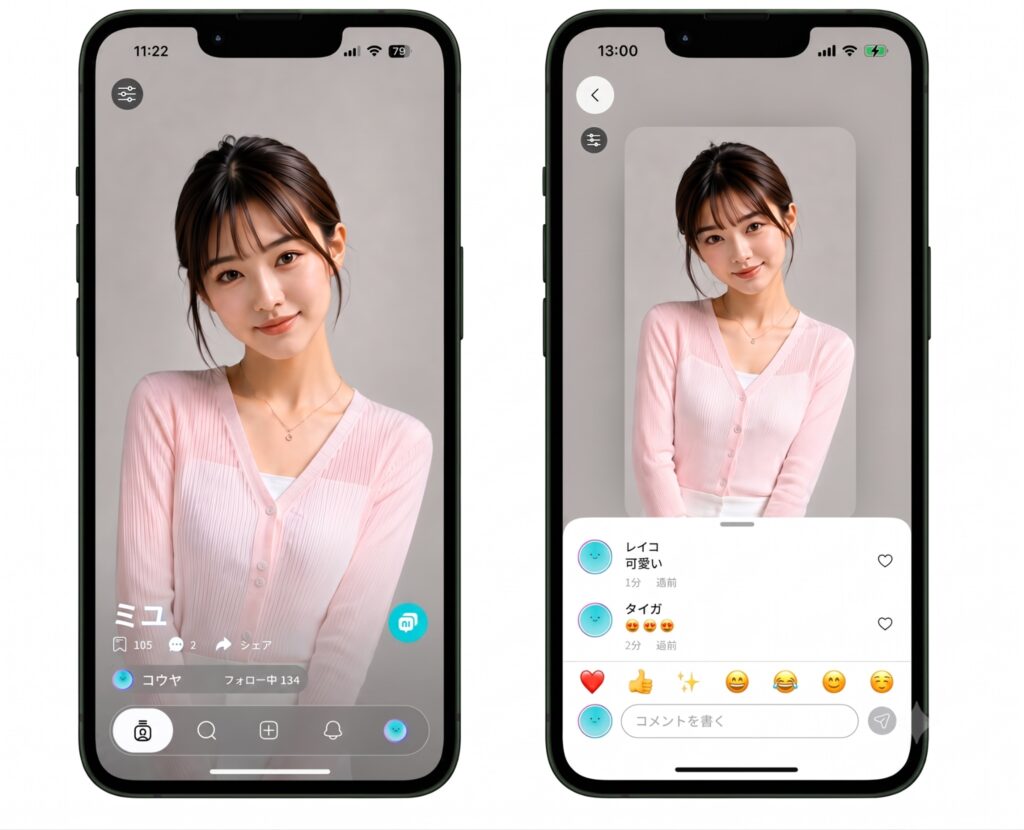
Until now, you could “favorite” or share the recommended videos on your home feed, but there was no way to leave a comment—so it felt like a one-way street.
How it’s better now:
You can now leave comments on your favorite avatar videos. New comments are marked with a red notification dot.
④ Less waiting ―― for anyone who wants to keep creating
Who it’s for:
Anyone frustrated by the “wait” during avatar creation
How it helps:
Before, once you uploaded an image, all you could do was wait for it to process. That downtime was a quiet little stress.
Not anymore. Processing runs in the background, so you can move right along. Creating is quick and smooth, so you can bring avatar after avatar to life.
Line up a whole cast of favorites and make them the stars of your live shows 🎬